


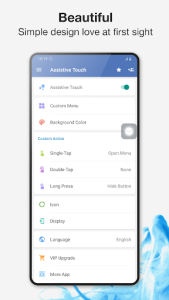
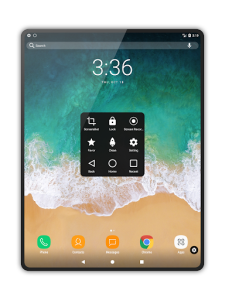
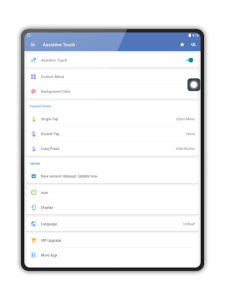
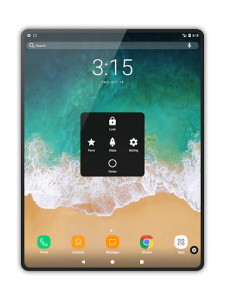
Assistive Touch provides a floating panel on your screen that gives you instant access to your favorite apps, settings, and quick toggles. It serves as an ideal solution for users who want to protect their physical buttons from wear and tear while navigating their device with a single hand. This versatile tool streamlines the Android experience by bringing essential functions directly to your fingertips, regardless of which screen you are currently on.
Customizable Quick Action Menu
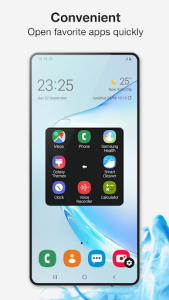
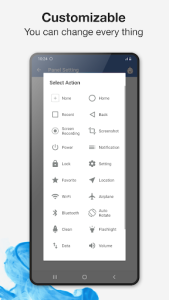
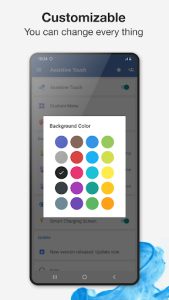
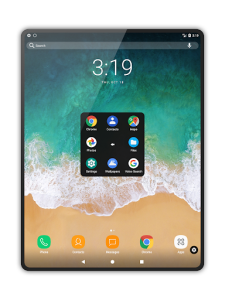
The floating panel serves as a highly adaptable hub where you can pin your most-used applications and system shortcuts for immediate access. This digital overlay allows users to personalize the layout, choosing which icons appear and how they are organized to suit their specific workflow. By using this tool, you can jump from a heavy gaming session to your messaging app without ever returning to the home screen.
Physical Button Protection Strategy
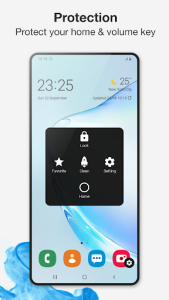
One of the primary advantages of integrating this solution into your daily routine is the significant reduction in mechanical stress on your device hardware. By utilizing on-screen controls for volume adjustment and screen locking, you effectively extend the lifespan of the power and home keys. Many users find Assistive Touch particularly helpful when their physical buttons become unresponsive or difficult to press due to aging hardware.
Streamlined System Settings Access
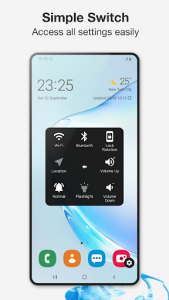
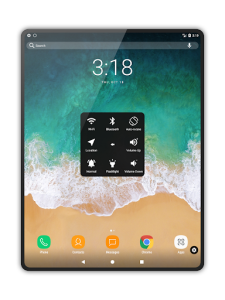
Managing your device connectivity and display preferences becomes much faster through the integrated toggle system found within the interface. You can quickly enable Wi-Fi, toggle Bluetooth, or take a screenshot with a single tap rather than digging through the notification shade or settings menu. This efficiency is perfect for moments when you need to adjust screen brightness or activate airplane mode while staying focused on your current task.
Enhanced One Handed Operation
As smartphone screens continue to grow in size, reaching the top corners or bottom buttons with one hand has become increasingly challenging for many people. This utility solves that ergonomic hurdle by placing all critical navigation elements within easy reach of your thumb. Using Assistive Touch transforms the way you interact with your phone, making it possible to manage complex tasks comfortably while commuting or carrying other items.












Write a review